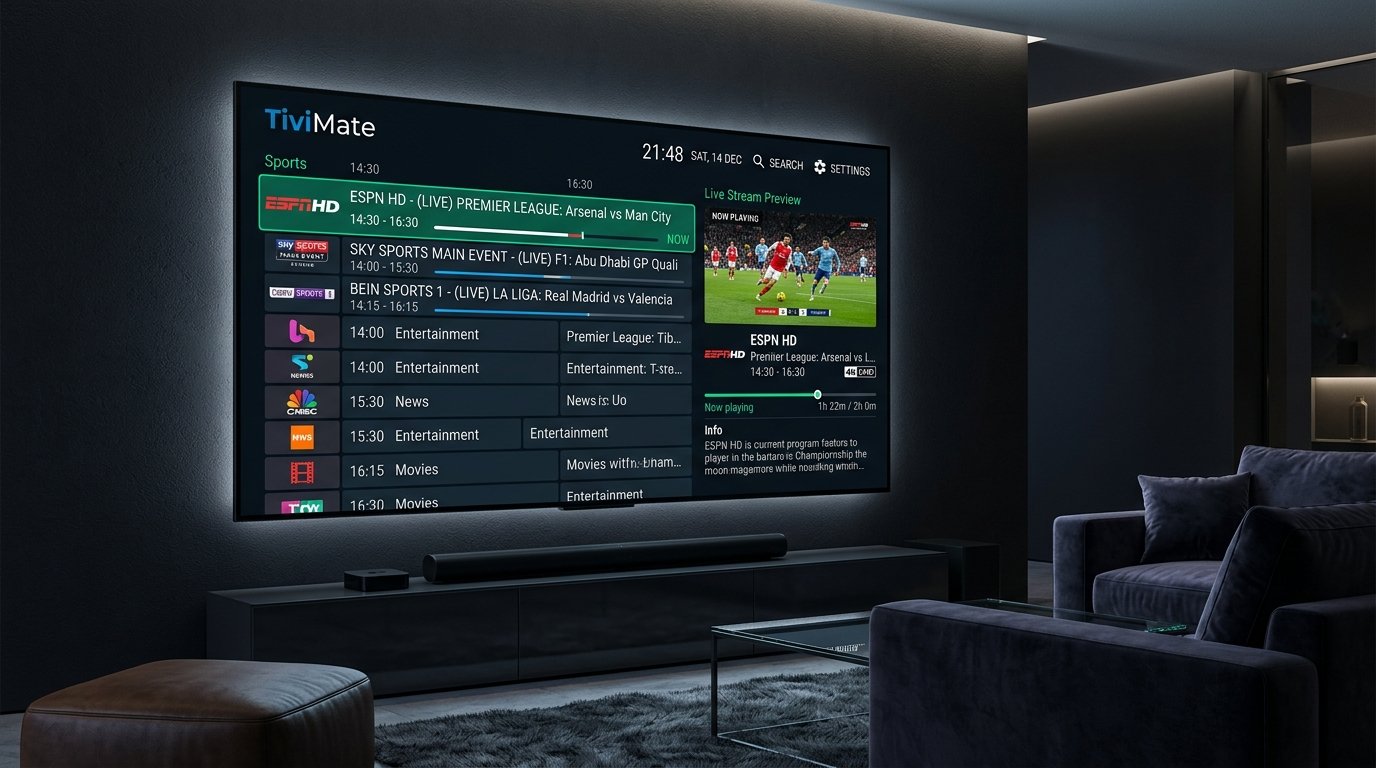
Ask any seasoned streaming enthusiast about the best IPTV player application for Android TV and Firestick, and one name universally dominates the conversation: TiviMate. With its slick cable-box user interface, lightning-fast channel switching, and robust multi-screen capabilities, TiviMate has earned its reputation as the gold standard of IPTV players.
However, even the most polished player app is only as good as the stream credentials powering it. Pairing TiviMate with a cheap, oversold playlist leads to stuttering and missing EPG data. In this 2026 guide, we explore why TiviMate is the ultimate IPTV companion, how to configure Xtream Codes API, and what makes a premier IPTV service shine on TiviMate.
Why TiviMate Is the #1 IPTV Player in 2026
Unlike basic media players that treat live television like a generic file playlist, TiviMate was engineered from the ground up to replicate and improve upon traditional premium set-top boxes:
- Full TV Guide (EPG) Grid: A familiar linear television guide that updates automatically in the background, displaying past, present, and upcoming programming.
- Multi-View / Multi-Screen: Watch up to 9 live sports channels simultaneously on a single screen—the ultimate setup for NFL Sundays, Premier League matchdays, and UFC fight nights.
- Custom Channel Groups & Favorites: Reorganize 25,000+ worldwide channels into clean, personalized categories with custom numbering.
- Catch-Up & Cloud Recording: Rewind live broadcasts from the past 7 days or schedule digital recordings directly to USB or network storage (NAS).
- Seamless Hardware Acceleration: Optimized for modern 4K 60FPS codecs (H.265 / HEVC), ensuring zero dropped frames on Firestick 4K Max and Nvidia Shield Pro.
Step-by-Step: Setting Up TiviMate with Xtream Codes API
While TiviMate supports standard M3U playlist URLs, connecting via Xtream Codes API is substantially faster, updates EPG data reliably, and separates Live TV, Movies, and Series into organized libraries (explore our detailed Xtream Codes API vs M3U Playlist comparison):
- Download and launch TiviMate IPTV Player from Google Play Store or sideload via Downloader app.
- Click Add Playlist and select Xtream Codes.
- Enter your Server URL (e.g.,
http://server-domain.com:port). - Enter your unique Username and Password provided upon subscription activation.
- Check the box for Include VOD (Video on Demand) and click Next.
- Allow TiviMate 60 to 90 seconds to synchronize channels, movie posters, and EPG schedules.
Optimizing TiviMate for Buffer-Free 4K Streaming
To extract maximum performance from your setup, apply these three expert settings inside TiviMate:
| Setting Name | Menu Location | Recommended Value |
|---|---|---|
| Buffer Size | Settings > Playback > Buffer size | Medium or Large (prevents micro-stutter) |
| Video Decoder | Settings > Playback > Video decoder | Hardware (HW) for maximum smoothness |
| Auto Frame Rate (AFR) | Settings > Playback > Auto frame rate | ON (matches display Hz to 24/50/60 FPS) |
| EPG Update Interval | Settings > EPG > Update interval | Once per day (cleans memory bloat) |
Why 4K IPTV IT Is the Ultimate Provider for TiviMate
At 4K IPTV IT, our stream architecture is tailored specifically for advanced players like TiviMate. Subscribers receive dedicated Xtream Codes API credentials, comprehensive 7-day Electronic Program Guides, and 60FPS high-bitrate sports feeds backed by Anti-Freeze 10.0 technology.
Ready to experience the ultimate television setup? View our subscription plans and start streaming in minutes via instant WhatsApp activation.